
Huge Drama Library
Korean, Chinese, Japanese, and Thai series plus movies and variety shows, updated with new episodes soon after broadcast.
Korean, Chinese, Japanese, and Thai dramas in HD, with subtitles that actually make sense. HiTV runs on your phone, your PC, and your TV, and lets you pick up an episode exactly where you left it.
Try two full episodes of any series free, no account needed. Registered members unlock the complete library and exclusive titles.
HiTV collects dramas, movies, and variety shows from across Asia into a single library. Instead of hunting for episodes on five different sites, you search once, tap play, and get a clean HD stream with subtitles in your language. The catalog covers romance, comedy, historical, thriller, and fantasy titles, and new episodes land shortly after they air.
The short version: a big catalog, good subtitles, and a player that stays out of your way. The longer version is on the features page.
Korean, Chinese, Japanese, and Thai series plus movies and variety shows, updated with new episodes soon after broadcast.
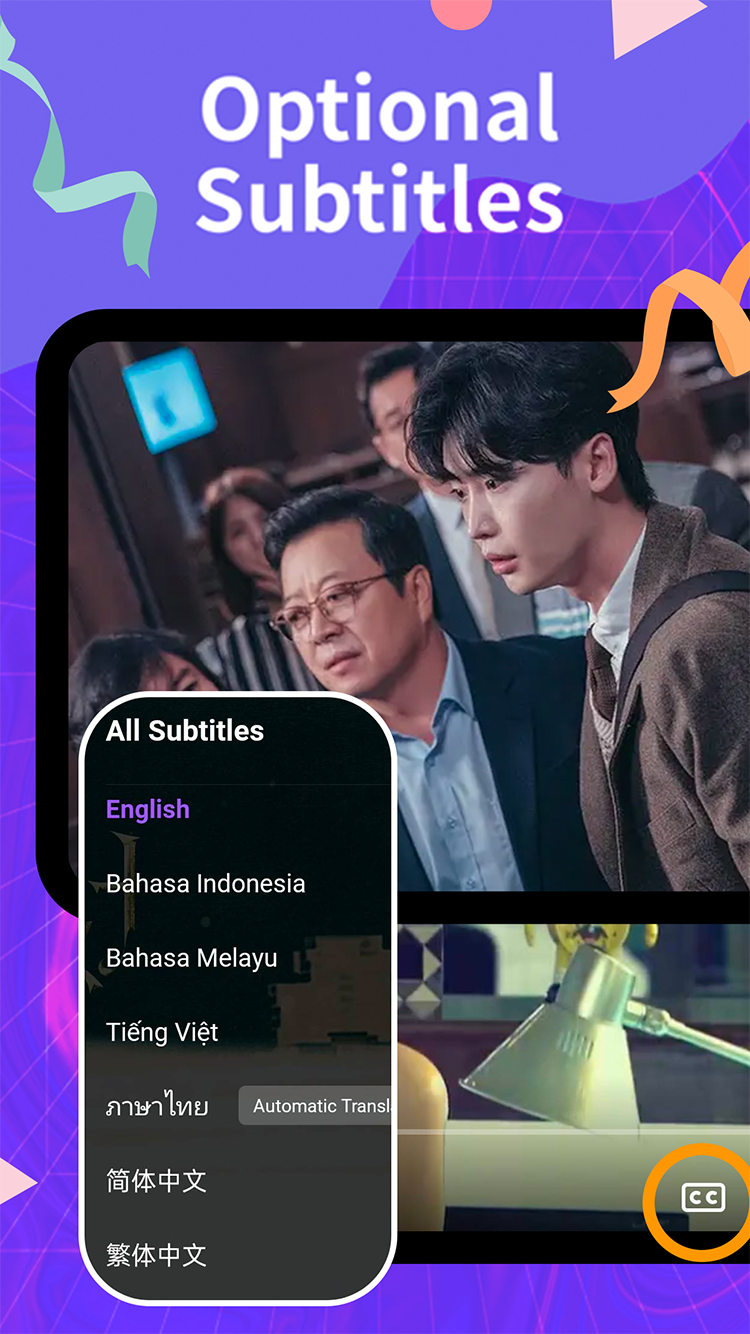
Subtitles in English, Indonesian, Malay, Vietnamese, Thai, and Chinese, with automatic translation for extra languages on many titles.
Streams in high definition with adaptive quality, so an episode keeps playing smoothly even when your connection dips.
Save episodes to your device and watch on a flight or a commute without touching your data plan.
Episodes play start to finish without mid-roll breaks, which matters more than any other feature during a finale.
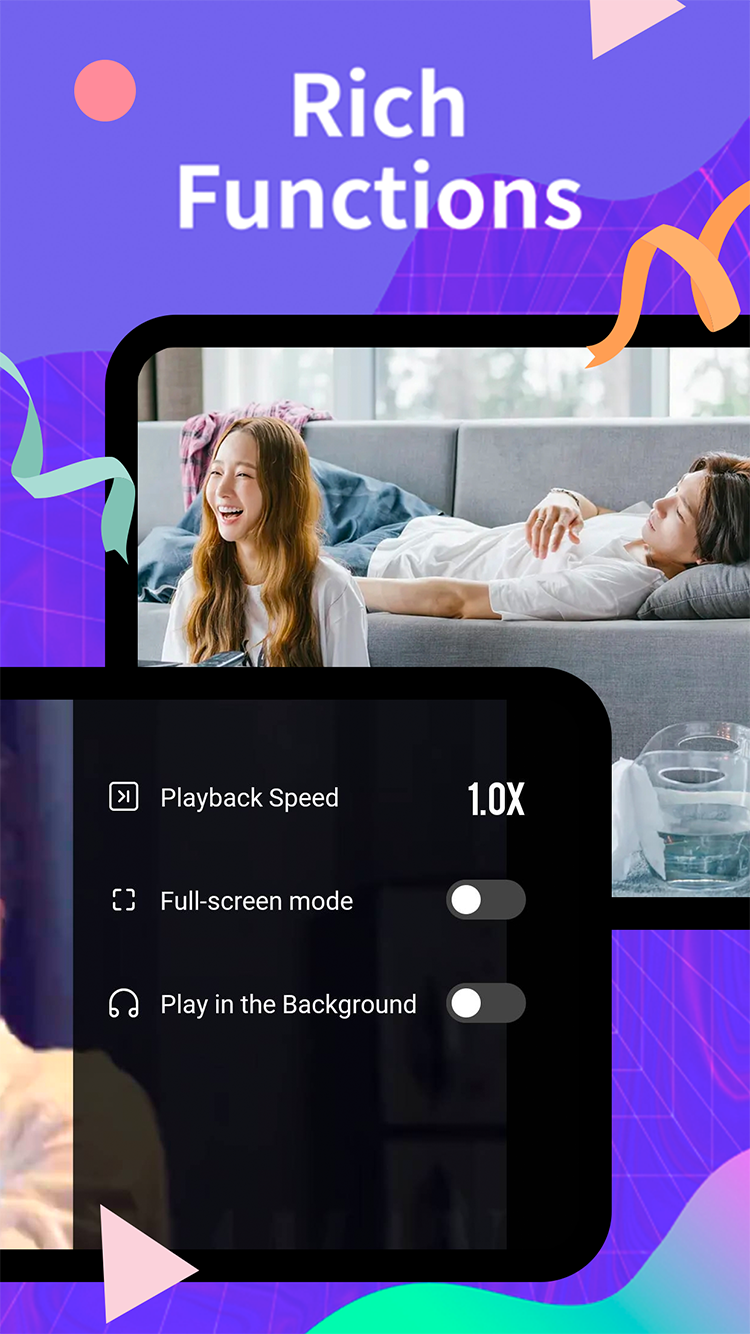
Speed up slow scenes or slow down fast dialogue. The player remembers your preferred speed between episodes.
Keep the audio running while you switch apps or lock the screen. Handy for variety shows you half-listen to.
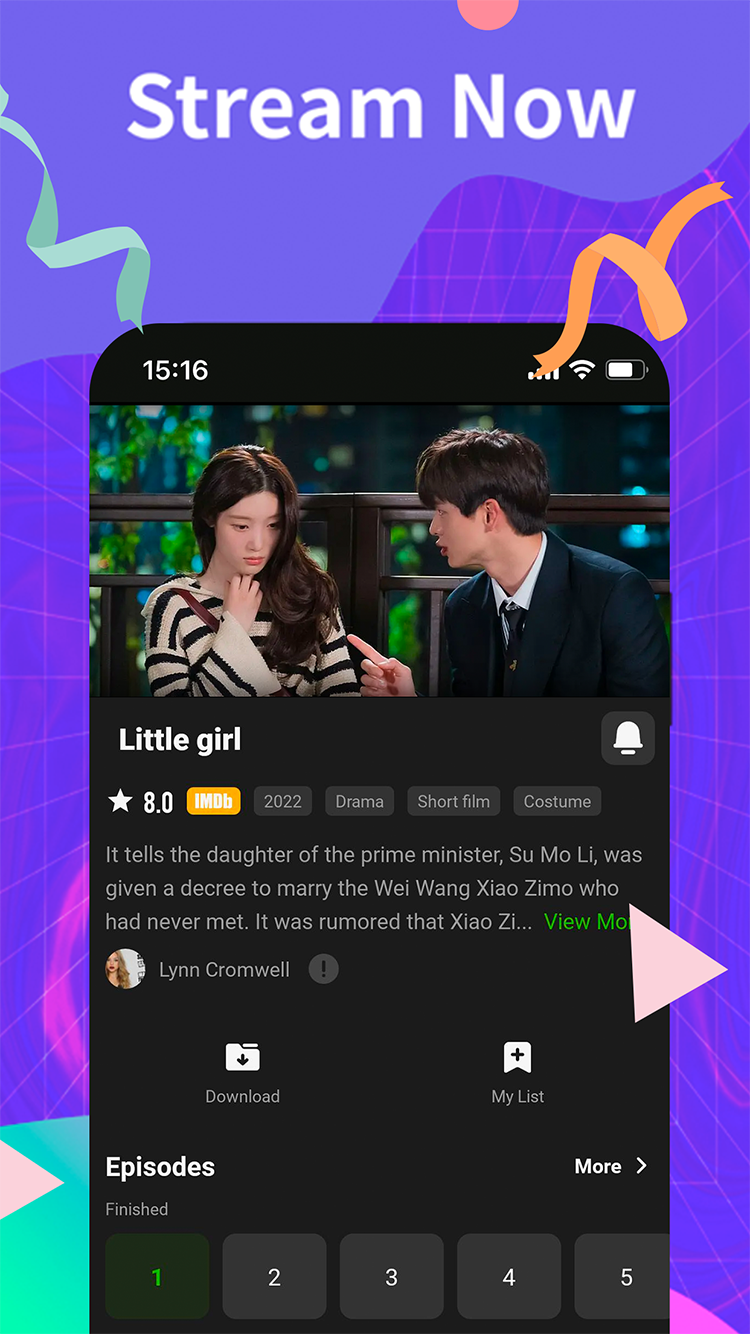
Track the series you follow and get notified when a new episode of a show on your list goes live.
A remote-friendly interface on Android TV, Google TV, and Fire TV. Install it in minutes with code 1910890.
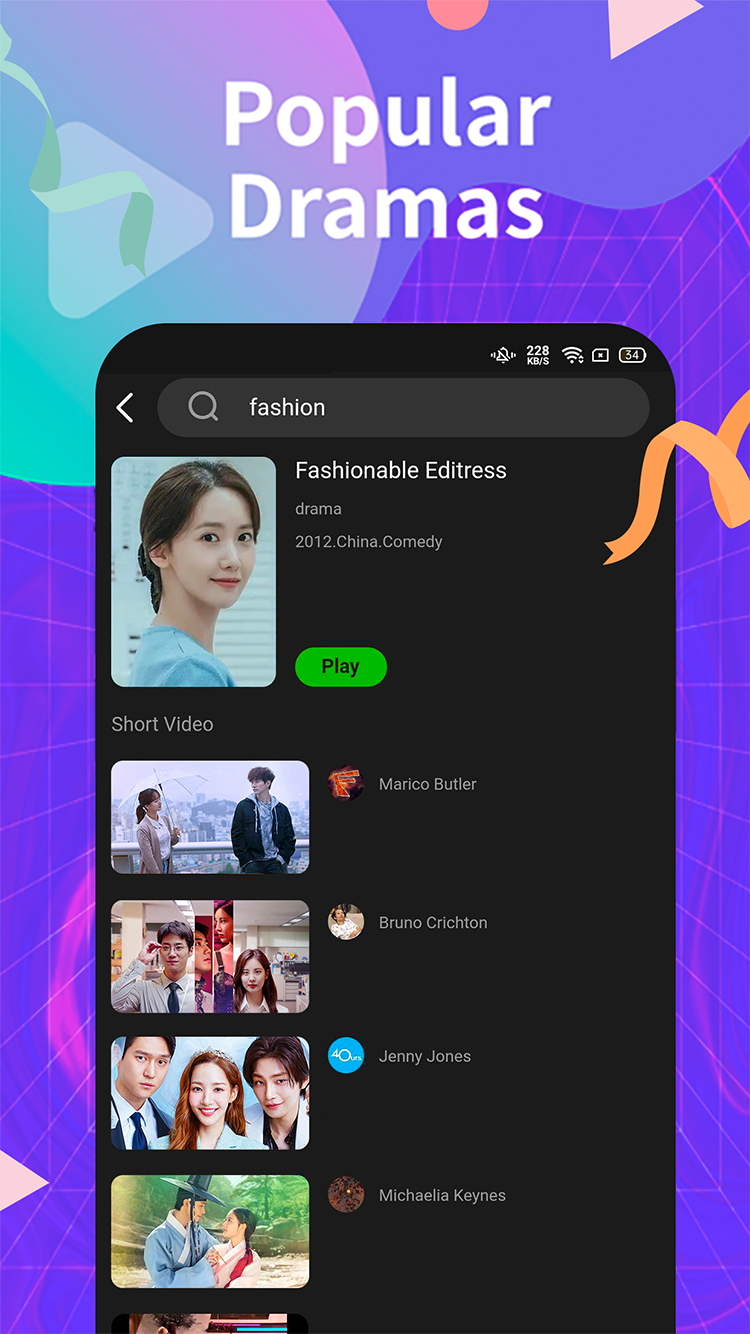
Find shows by title, actor, or genre. Search results include short videos and clips related to what you typed.
Real screens from the current Android version: browsing, playback controls, and the subtitle picker.
Pick the version that matches your screen. All official links are collected on the download page, along with checksums and version notes.
Direct APK for phones and tablets. Also on Google Play if you prefer store updates handled for you.
Download Android APKA native desktop client for Windows 10 and 11. Install it directly or grab it from the Microsoft Store.
Download for Windows
Fire TV, Android TV, or Google TV: open the Downloader app, enter code 1910890, and the HiTV download page loads on your TV.
A community-modified build without VIP limits, shared on Telegram. Unofficial, so weigh the risks before installing.
Get Mod on TelegramThe Downloader app handles the whole install. You never have to move files around with a USB stick.
Quick steps for each platform. Each tab links to a full walkthrough with screenshots and troubleshooting notes.
Grab the official HiTV APK from the download page, or install from Google Play and skip the rest of these steps.
When Android asks, allow your browser to install unknown apps. This is a one-time permission.
Tap the downloaded APK in your notifications or file manager, then tap Install.
Open HiTV, browse the library, and try two free episodes before registering.
Detailed walkthrough with screenshots: HiTV installation guide
Download the Windows setup file from the download page, or search "HiTV" on the Microsoft Store.
Double-click the .exe and follow the prompts. Installation takes under a minute on most machines.
If Windows shows a SmartScreen notice, click "More info" then "Run anyway". The Store version skips this.
Launch HiTV from the Start menu. Your watch history syncs with the mobile app.
Full PC section including system requirements: installation guide
Get the free Downloader app from your TV's app store (Amazon Appstore or Google Play).
Type the code into Downloader and press Go. The HiTV page opens on your TV.
Confirm the download, then tap Install. Allow Downloader as an install source if your TV asks.
HiTV appears in your TV's app list, ready for the big screen.
Platform-specific guides: Fire TV · Android TV · Google TV
Plenty of apps stream Asian dramas. A few things explain why people stay with this one.
Two full episodes of any series, free, without creating an account. You know what you're getting before you sign up.
Human-edited translations in seven languages. Jokes land, honorifics survive, and nobody is called "older brother teacher".
Phone, PC, and three TV platforms with synced history. Most rivals stop at the phone app.
No mid-episode ad breaks. Cliffhangers stay cliffhangers instead of turning into commercial pauses.
New episodes of airing dramas show up shortly after broadcast, with subtitles following quickly.
Code 1910890 in the Downloader app puts HiTV on any Fire TV or Android TV. No USB sticks, no file managers.
The app stays small and quick to open, even on older phones and budget TV sticks.
Step-by-step help for installing, updating, and fixing HiTV on every platform.
HiTV is a streaming app built around Asian entertainment: Korean, Chinese, Japanese, and Thai dramas, plus movies and variety shows. It runs on Android, Windows, Android TV, Google TV, and Fire TV, with subtitles in several languages and HD playback.
You can open the app without an account and watch two free episodes of any series. Registering a free account unlocks the full library, exclusive titles, and features like My List and downloads.
The code is 1910890. Enter it in the Downloader app on Fire TV, Android TV, or Google TV and the HiTV download page opens directly on your TV. Full steps in the Fire TV guide.
Yes. There is a native Windows client available as a direct installer and on the Microsoft Store. Both are linked on the download page.
Yes. Most titles include edited subtitles in English, Bahasa Indonesia, Bahasa Melayu, Vietnamese, Thai, and Simplified and Traditional Chinese, with automatic translation available for more languages on many shows.
A community-modified build circulates on Telegram. It is not an official release, so treat it with the usual caution you would give any modified APK.
Install HiTV in a couple of minutes and start with two free episodes. No account required for the trial.